Dark mode is no longer a preference — it is an expectation. Over 80% of developers use dark themes, and consumer applications from Twitter to Spotify default to dark. Yet most dark mode typography is an afterthought: the same fonts, sizes, and spacing as light mode, with inverted colors.
It does not work that way.
The Contrast Problem
Black text on white background achieves a contrast ratio of 21:1. White text on black achieves the same ratio — but human perception does not treat them equally. Light text on dark backgrounds appears thinner and can seem to “bleed” into the background (the halation effect).
The Solution: Off-White Text
Never use pure white (#FFFFFF) for body text on dark backgrounds. Instead:
- Primary text:
#E2E1F2or similar warm off-white - Secondary text:
#CBC4CEfor meta information and captions - Muted text:
#958F98for placeholders and disabled states
These values provide sufficient contrast (WCAG AA requires 4.5:1 for body text) while reducing eye strain.
Background Depth
Pure black (#000000) backgrounds create harsh contrast jumps. Use rich dark tones instead:
- Base background:
#11131E(dark navy-purple) - Surface containers:
#1D1F2Bto#333441 - Elevated surfaces: slightly lighter with transparency
The Nebular palette uses a purple-tinted void that feels cosmic rather than clinical.
Font Selection
Not all fonts perform equally on dark backgrounds:
Sans-Serif for Body
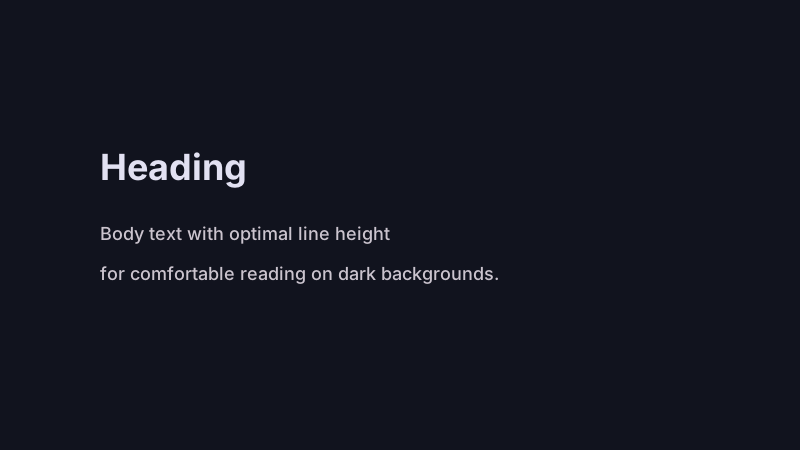
Inter is the gold standard for dark mode body text. Its large x-height, open apertures, and generous spacing maintain legibility at smaller sizes on dark backgrounds.
Display Fonts for Headlines
Sora works well for headlines on dark themes. Its geometric construction and wide apertures feel modern without sacrificing readability. Keep display fonts for headings only — never for long-form body text.
Monospace for Labels
JetBrains Mono provides technical precision for labels, tags, and metadata. Its consistent character width and clear distinction between similar glyphs (0/O, 1/l) make it ideal for small, uppercase labels.
Spacing and Line Height
Dark mode typography needs more breathing room than light mode:
Line Height
Increase line height by 10-20% compared to light mode:
- Light mode body:
1.5→ Dark mode body:1.7to1.8 - This compensates for the halation effect and improves scanning
Letter Spacing
Uppercase labels need increased letter spacing (0.08em to 0.1em) to remain readable at small sizes. Lowercase body text can use default or slightly increased spacing.
Paragraph Spacing
Use generous spacing between paragraphs — at least 1.5em margin-top. On dark backgrounds, dense text blocks feel claustrophobic.
Size and Hierarchy
Establish clear typographic hierarchy with size, weight, and color:
| Level | Font | Size | Weight | Color |
|---|---|---|---|---|
| Display | Sora | 48-72px | 700-800 | On-surface |
| H1 | Sora | 32-48px | 700 | On-surface |
| H2 | Sora | 24-32px | 600 | On-surface |
| Body | Inter | 16-18px | 400 | On-surface-variant |
| Meta | Inter | 14px | 500 | On-surface-variant |
| Label | JetBrains Mono | 12px | 500 | Accent |
Prose Styling Details
Long-form content needs specific attention:
Links
Underline links with text-underline-offset: 3px for clear affordance. Use a distinct accent color (cyan works well on dark purple backgrounds) rather than relying on underline alone.
Code Blocks
Code on dark backgrounds needs its own surface:
pre {
  background: #0C0D19;
  border: 1px solid rgba(255, 255, 255, 0.1);
  border-radius: 8px;
}
Inline code uses a slightly elevated background with an accent color for the text.
Blockquotes
Use a left border accent rather than italic alone. A subtle background tint reinforces the quoted content as distinct from body text.
Testing Readability
Practical tests for dark mode typography:
- Squint test — squint at the page. Can you still distinguish hierarchy?
- Grayscale test — remove color. Does contrast hierarchy remain?
- Speed reading — read a paragraph quickly. Did you lose your place?
- Device test — check on OLED (true black) and LCD (backlit) screens
- Accessibility audit — run Lighthouse and axe DevTools
Common Mistakes
- Pure white on pure black — causes halation and eye strain
- Thin font weights — 300 weight text disappears on dark backgrounds
- Low contrast secondary text — meta information below 4.5:1 ratio
- Same spacing as light mode — dark themes need more breathing room
- Colored body text — reserve accent colors for links and highlights
Conclusion
Dark mode typography is a discipline, not a color inversion. The fonts, spacing, contrast ratios, and hierarchy that work on white backgrounds need deliberate adjustment for dark themes.
Get it right, and your content becomes a pleasure to read — even at 2 AM, even on a phone, even after the hundredth article. That is the standard worth designing for.